
AIGoogle Ads & Meta Ads — set up and optimised by an AI agent

Ad campaigns that pay off — built and tuned by an AI agent

Tell the agent what you want to achieve. It guides you through a simple wizard, launches the campaign and keeps improving it — you only approve the changes.
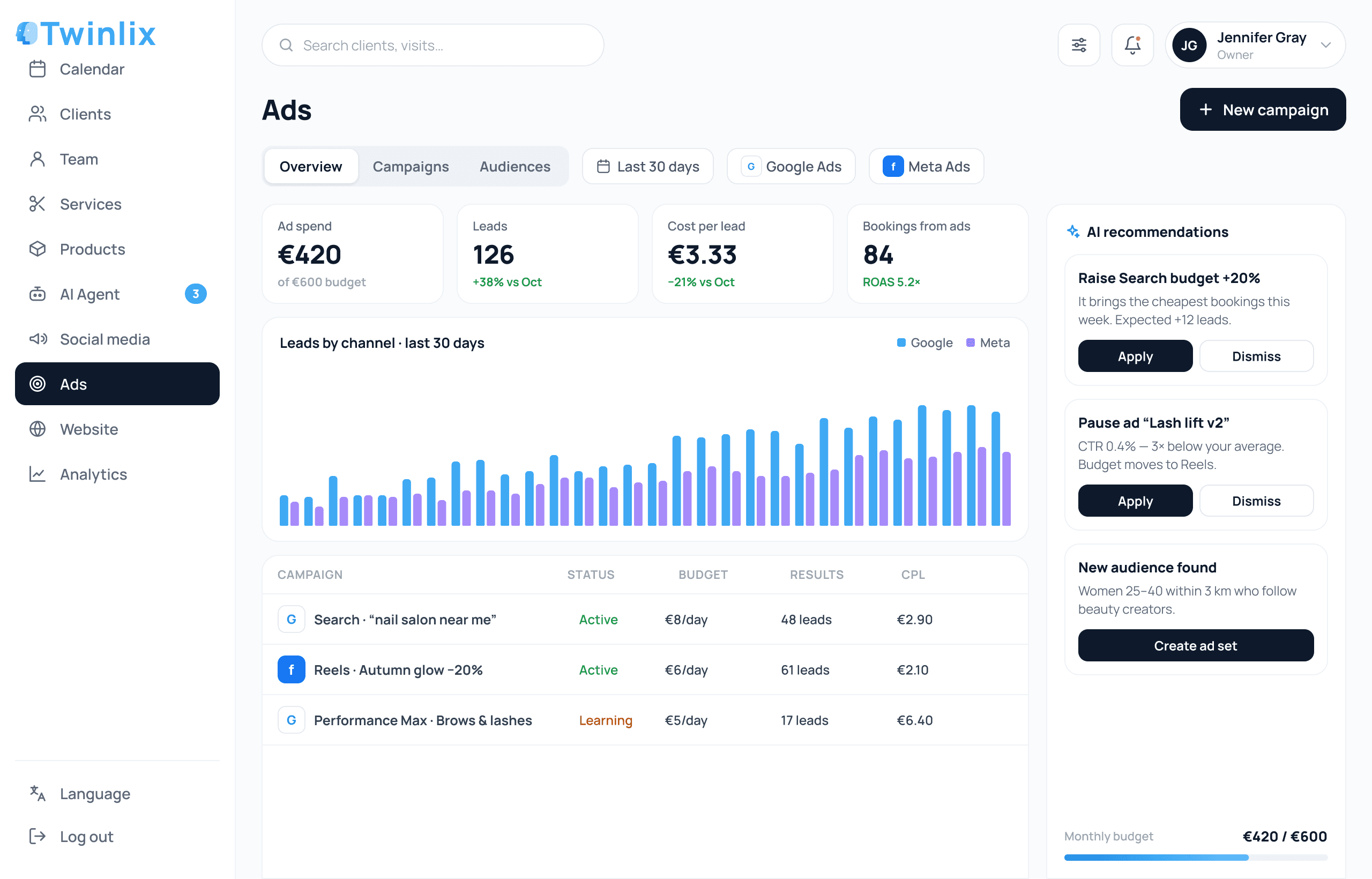
Google Ads & Meta AdsYou approve every changeGoogle Merchant feed for online stores
app.twinlix.com/ads
AI
AI ad campaigns
Step 1 · Your goal

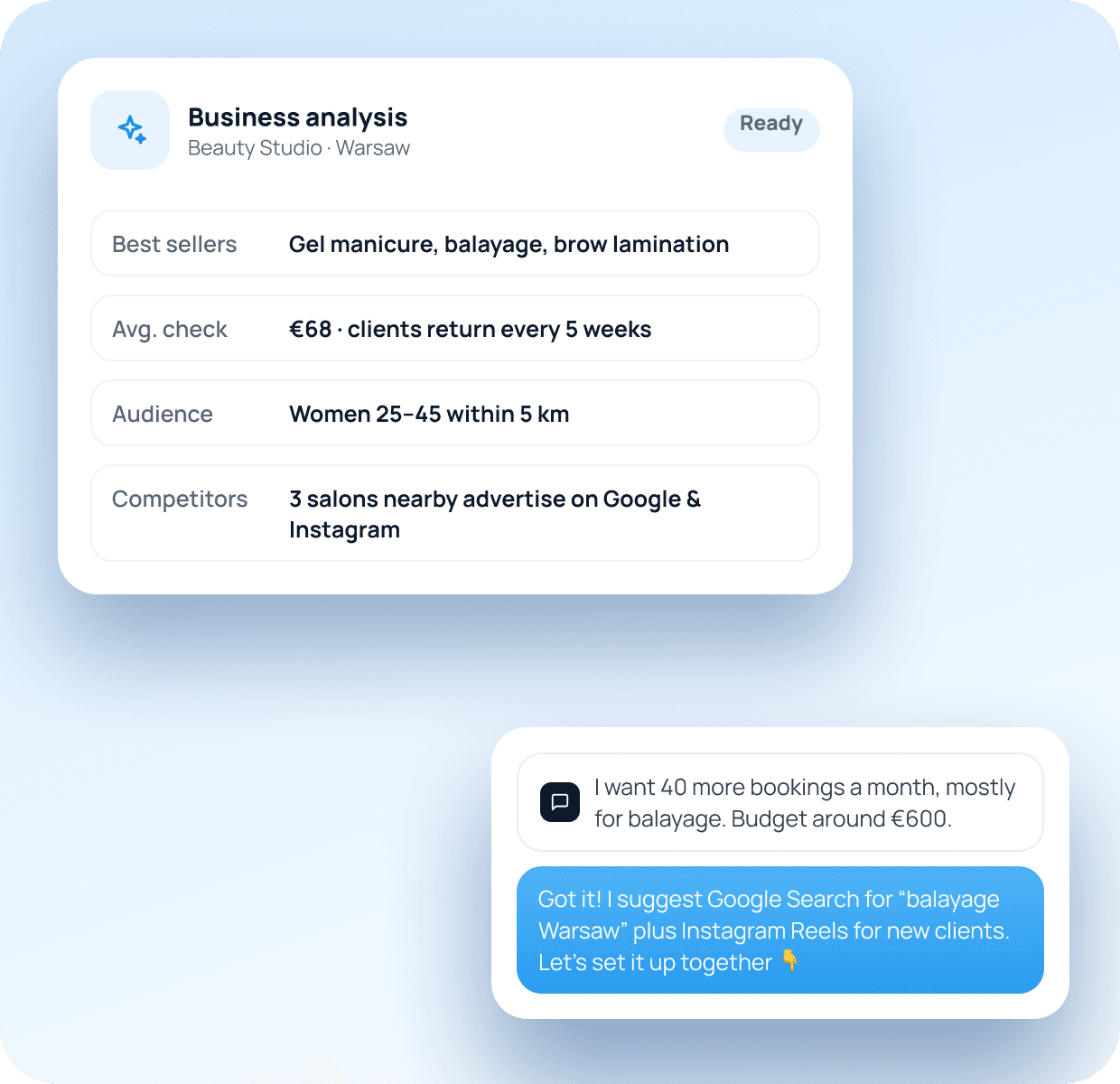
The agent studies your business — you tell it your goal

It analyses your services, prices, clients and competitors. Then you simply say what you want the advertising to achieve.
01
Analysis of your business
Best-selling services, average check, audience and competitors.
02
Set a goal in plain words
More bookings, more orders, more calls — whatever matters to you.
03
A strategy that fits
The agent suggests the right channels: Google Search, Performance Max, Instagram, Facebook.
04
Realistic expectations
It estimates results for your budget before you spend anything.
The agent studies your business — you tell it your goal
Step 2 · Wizard

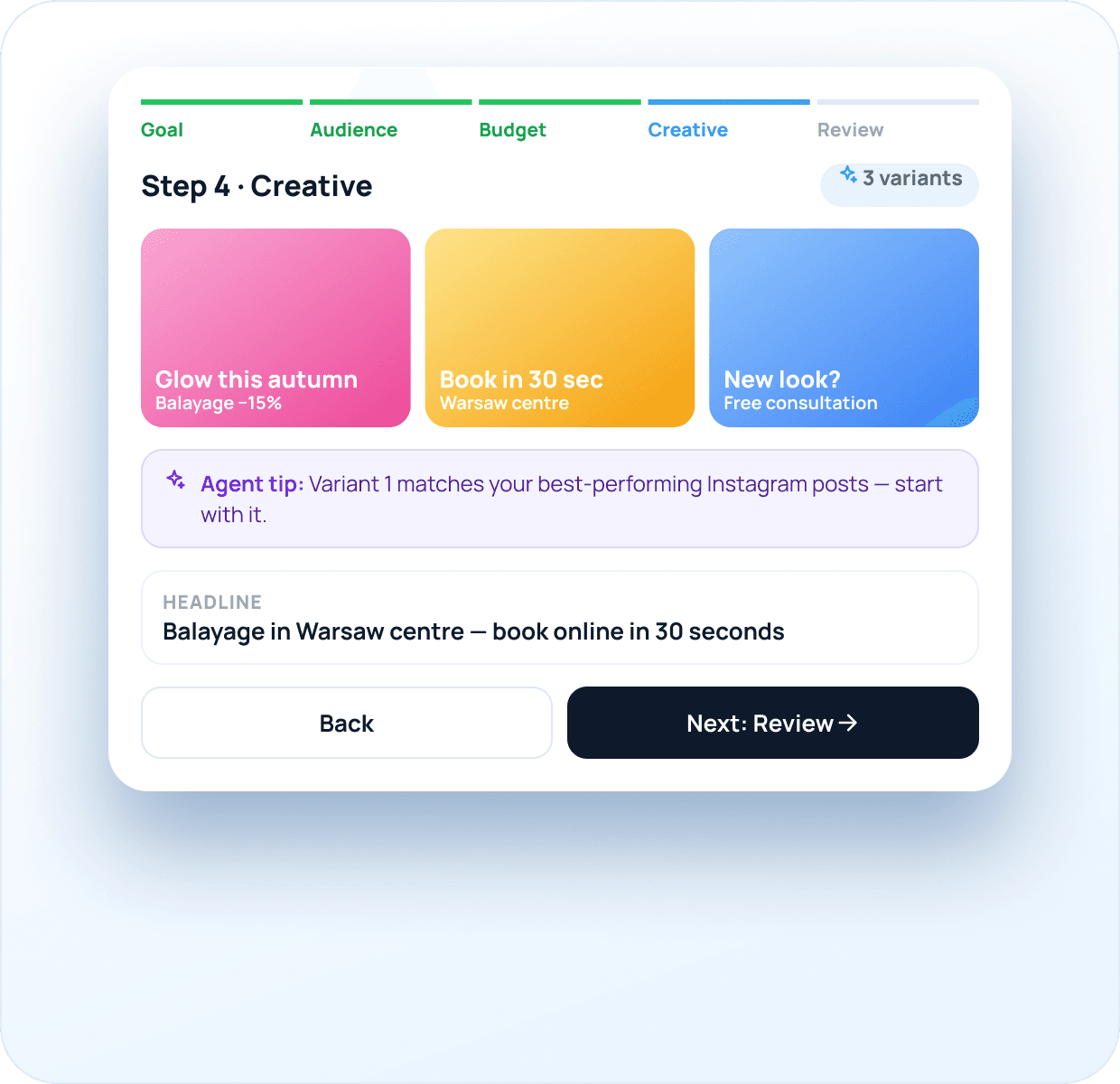
Create a campaign in five simple steps

A step-by-step wizard where the agent explains every choice and suggests what works best for your business.
01
The agent guides every step
Tips and suggestions at each stage — no ads experience needed.
02
Creatives generated for you
Ad texts and visuals ready to use, with several variants to choose from.
03
Sent for review, then launched
Fill it in, send it — the campaign is checked and goes live.
04
Google Ads and Meta Ads
One wizard for search, display, Instagram and Facebook campaigns.
Create a campaign in five simple steps
01GoalWhat you want: bookings, orders, calls or visits.
02AudienceWho and where: location, age, interests.
03BudgetHow much per day or month — the agent never overspends.
04CreativeTexts and visuals generated for each ad.
05ReviewCheck everything and send it for launch.

After the review step the campaign is checked and launched for you — no ad-account skills needed.

Step 3 · Results

Watch the numbers — approve improvements with a tick

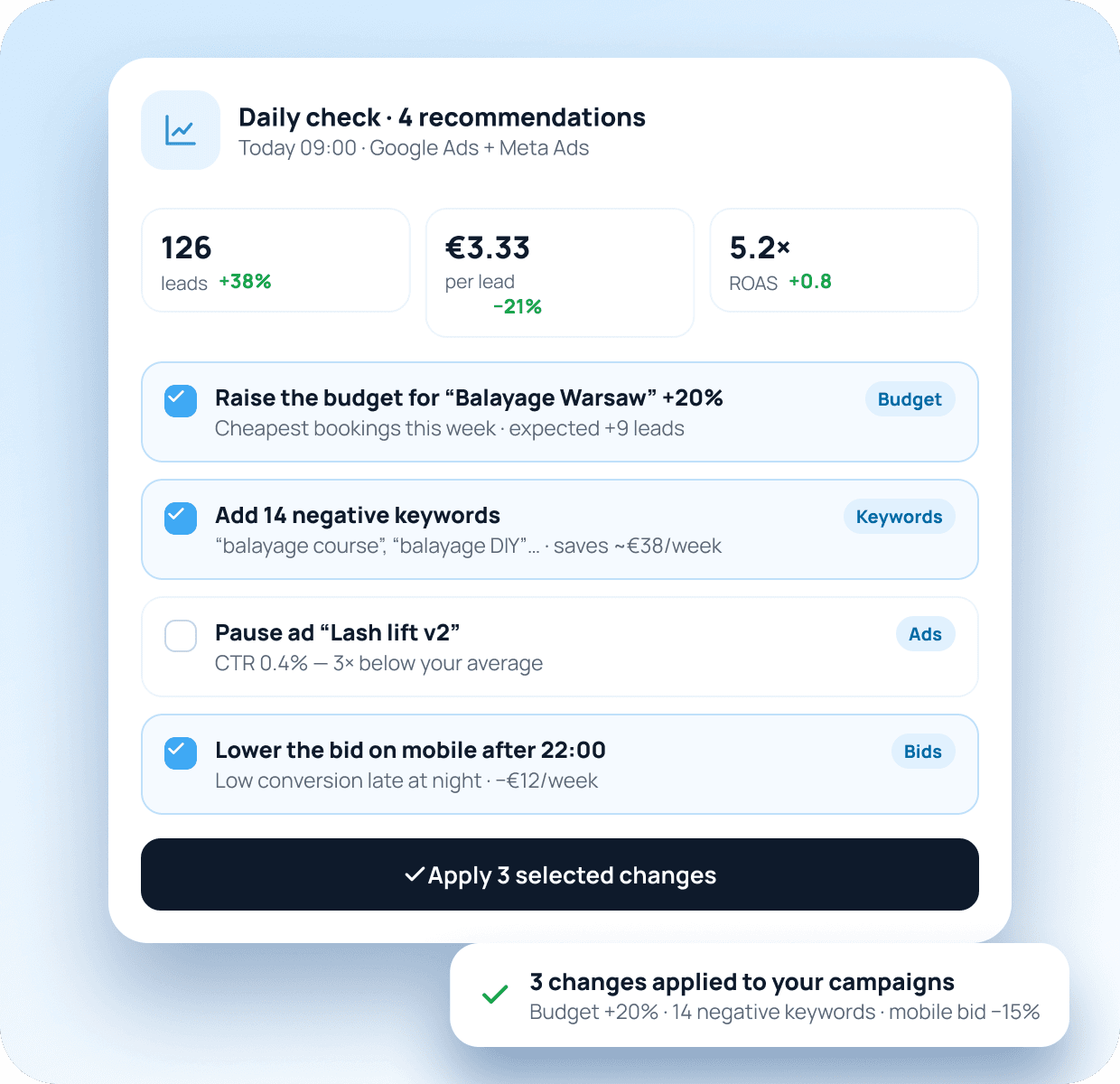
Once a day or every few days the agent analyses your campaigns and recommends what to change. You tick what you agree with — it does the rest.
01
Regular check-ups
Daily or every few days — you choose how often the agent reviews results.
02
Clear recommendations
Each suggestion explains why and what result to expect.
03
Tick to agree, untick to skip
You stay in control of every change in your account.
04
Changes applied automatically
Budgets, bids, keywords and ads updated in your campaign settings.
Watch the numbers — approve improvements with a tick
For online stores

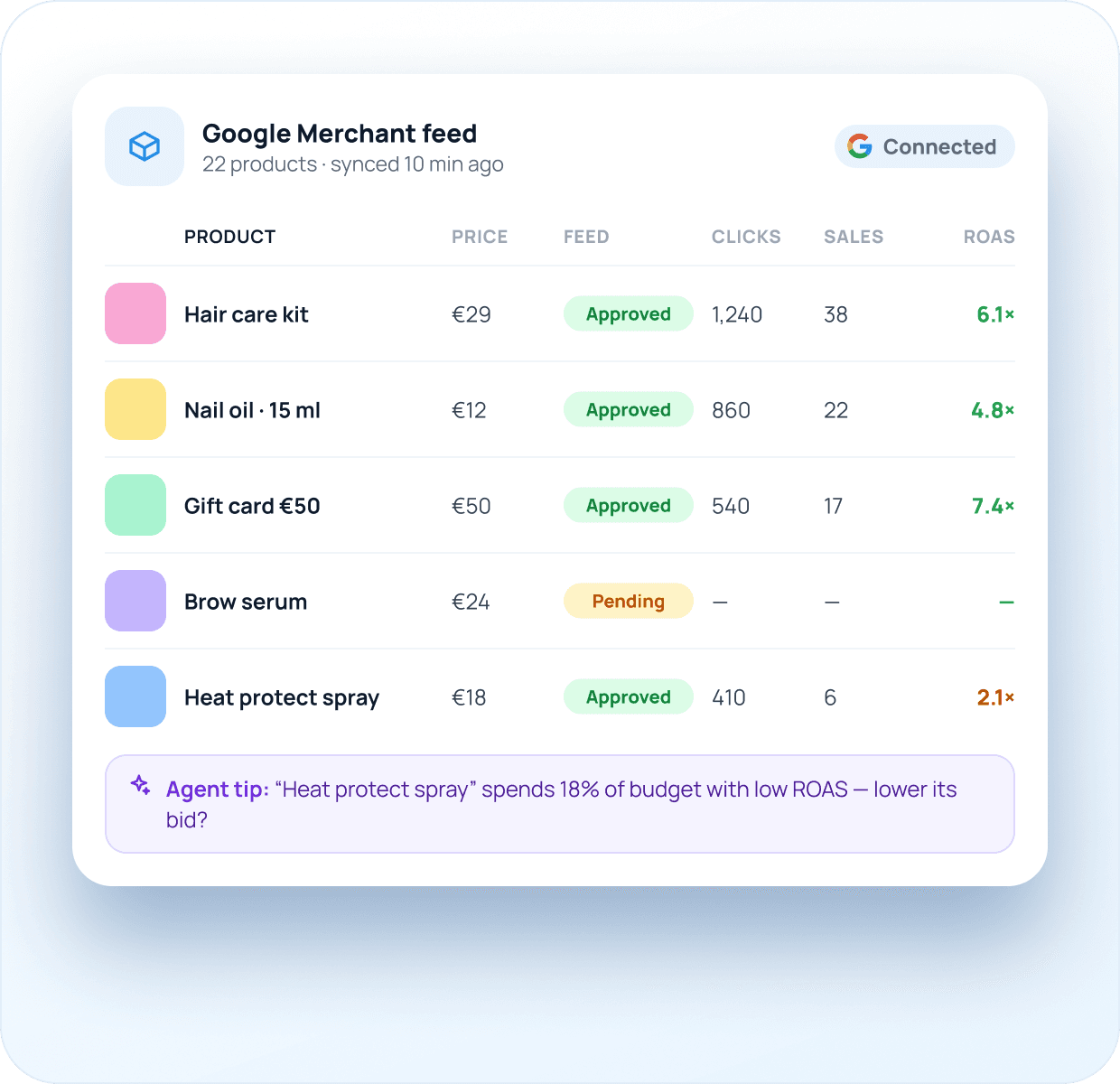
Products in Google Merchant — results per product

Running an online store? Add your products to the Google Merchant feed and see how advertising performs for every single product.
01
Products sent to Google Merchant
Your catalogue becomes a product feed for Shopping and Performance Max.
02
Feed status at a glance
See which products are approved, pending or need fixes.
03
Performance for every product
Clicks, sales and ROAS by product — not just by campaign.
04
Smarter budgets
The agent shifts spend to products that sell and cuts the ones that don’t.
Products in Google Merchant — results per product

Launch your first AI-guided campaign

Tell the agent your goal and budget — it walks you through the rest and keeps improving results every week.